Electronic door locks have become increasingly popular in homes and businesses thanks to their convenience, modern features, and enhanced access control. From unlocking your front door with a smartphone to assigning temporary codes for guests or employees, these locks offer capabilities that traditional locks simply can’t match.
However, many people still wonder: Are electronic door locks safe?
The short answer is yes. High-quality electronic door locks are designed with advanced security features that make them a reliable option for protecting your property. Like any security device, though, their effectiveness depends on choosing the right lock, having it installed properly, and following good security practices.
How Do Electronic Door Locks Work?
Electronic door locks replace or supplement the traditional key-and-lock system with electronic authentication. Instead of inserting a physical key, users gain access through methods such as:
- PIN codes
- Smartphone apps
- Key fobs or key cards
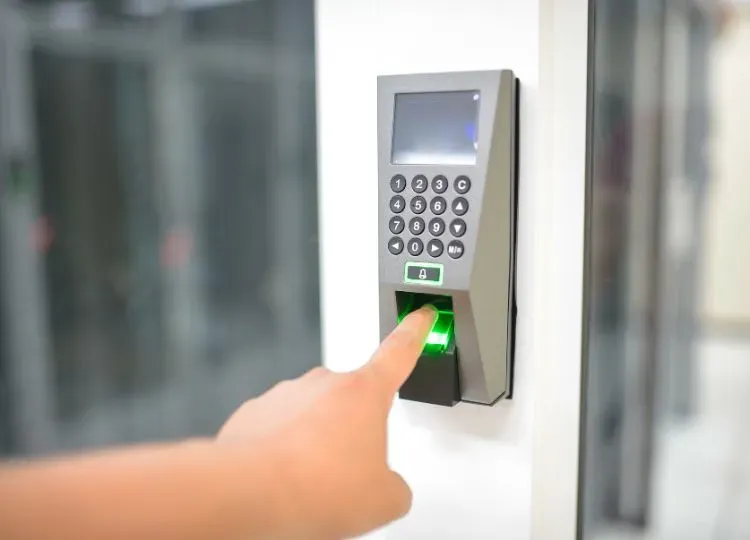
- Fingerprint or biometric scanners
- Bluetooth or Wi-Fi connectivity
Many electronic locks also include a traditional key override, providing a backup option if the batteries fail or another issue arises.
These locks are available in a variety of styles, from standalone keypad deadbolts to fully integrated smart locks that connect to your home’s security system.
Are Electronic Door Locks Safe?
Yes, electronic door locks are generally very safe when you invest in a quality product from a trusted manufacturer. In many cases, they provide even greater security than traditional locks because they offer features designed to reduce common security risks.
Unlike conventional locks, electronic locks can automatically lock after you leave, helping prevent accidentally unlocked doors. Many models also allow homeowners to monitor who enters and exits the property, creating an extra layer of accountability.
Some advanced models also include:
- Encrypted wireless communication
- Tamper alarms
- Automatic lockout after repeated incorrect code attempts
- Activity logs
- Remote locking and unlocking
These features make unauthorized access more difficult while giving property owners greater control over their security.
Benefits of Electronic Door Locks
Electronic door locks offer several advantages beyond basic security.
Convenient Keyless Entry
One of the biggest benefits is eliminating the need for physical keys. You no longer have to worry about losing your keys, locking yourself out, or making multiple spare copies for family members or employees.
For busy households and businesses, keyless entry saves both time and frustration.
Customized Access
Electronic locks allow you to create unique access codes for different users. Instead of sharing one physical key, each person can have their own code.
This is especially useful for:
- Family members
- Employees
- Contractors
- Housekeepers
- Vacation rental guests
If someone no longer needs access, you can simply delete their code instead of replacing the entire lock.
Remote Management
Many smart locks connect to your smartphone, allowing you to manage your door from virtually anywhere.
With remote access, you can:
- Lock or unlock doors remotely
- Check whether your door is locked
- Receive notifications when someone enters
- Grant temporary access to visitors
This level of control adds both convenience and peace of mind.
Better Security Monitoring
Some electronic locks keep a record of who entered and when. This feature is particularly valuable for businesses or households with multiple occupants because it helps monitor access without relying solely on physical keys.
Potential Security Risks
While electronic locks are highly secure, they are not completely immune to problems. Understanding the potential risks can help you minimize them.
Weak PIN Codes
Simple codes like “1234” or birthdays are easy to guess. Always choose strong, unique PINs and update them periodically to improve security.
Battery Failure
Electronic locks rely on battery power. Fortunately, most models provide low-battery warnings well before the batteries die.
Many also include backup options, such as:
- Traditional key access
- Emergency external battery connections
- Backup power terminals
Replacing batteries regularly helps prevent unexpected lockouts.
Poor Installation
Even the best electronic lock cannot provide maximum protection if it is installed incorrectly.
Improper alignment, loose hardware, or incorrect programming can affect both performance and security. Professional installation helps ensure the lock functions properly and securely.
Low-Quality Products
Not all electronic locks are created equal. Cheap or poorly made products may lack important security features or use weaker components that are easier to compromise.
Choosing a reputable brand and having it installed by a qualified locksmith helps ensure long-term reliability.
Smart Lock Cybersecurity
Internet-connected smart locks should be maintained just like any other connected device.
To reduce cybersecurity risks:
- Install firmware updates promptly.
- Use strong account passwords.
- Enable two-factor authentication when available.
- Secure your home Wi-Fi network.
Following these simple steps helps keep your smart lock protected from unauthorized digital access.
Tips for Maximizing Electronic Door Lock Security
To get the most out of your electronic door lock, follow these best practices:
- Purchase a high-quality lock from a trusted manufacturer.
- Have the lock professionally installed.
- Create strong, unique PIN codes.
- Replace batteries before they become depleted.
- Keep smart lock software updated.
- Secure your home’s Wi-Fi network.
- Pair your lock with additional security measures, such as security cameras, reinforced doors, and outdoor lighting.
A layered approach to home security provides the best protection against unauthorized entry.
Conclusion
Electronic door locks are a safe, convenient, and reliable way to protect your home or business. With features like keyless entry, customizable access, remote management, and automatic locking, they offer advantages that traditional locks cannot match.
As with any security solution, choosing a quality lock and ensuring professional installation are essential. When properly installed and maintained, electronic door locks can significantly improve both security and convenience for your property.
Ready To Upgrade Your Property’s Security?
Driscoll’s Lock & Key offers professional electronic door lock installation, repair, and replacement services for residential and commercial properties. Our experienced locksmiths can help you choose the right lock for your needs and ensure it’s installed correctly for dependable, long-lasting protection.
Call us today to schedule a consultation.
Frequently Asked Questions
Can electronic door locks be hacked?
While internet-connected smart locks can be vulnerable to cyber threats, reputable manufacturers use encryption and other security measures to protect against unauthorized access. Keeping your lock’s firmware updated and using strong passwords can further reduce the risk.
What happens if the batteries in an electronic door lock die?
Most electronic door locks provide low-battery warnings well before the batteries need to be replaced. Many models also include backup options, such as a physical key override or emergency power terminals, so you can still access your property.
Can I install an electronic door lock myself?
Some electronic locks are designed for DIY installation, but professional installation is recommended to ensure the lock functions correctly and provides maximum security. A locksmith can also verify that the lock is properly aligned and configured.
How long do electronic door lock batteries typically last?
Battery life varies depending on the model and how frequently the lock is used, but most electronic door locks last between 6 and 12 months before the batteries need to be replaced. Checking battery levels regularly helps prevent unexpected lockouts.