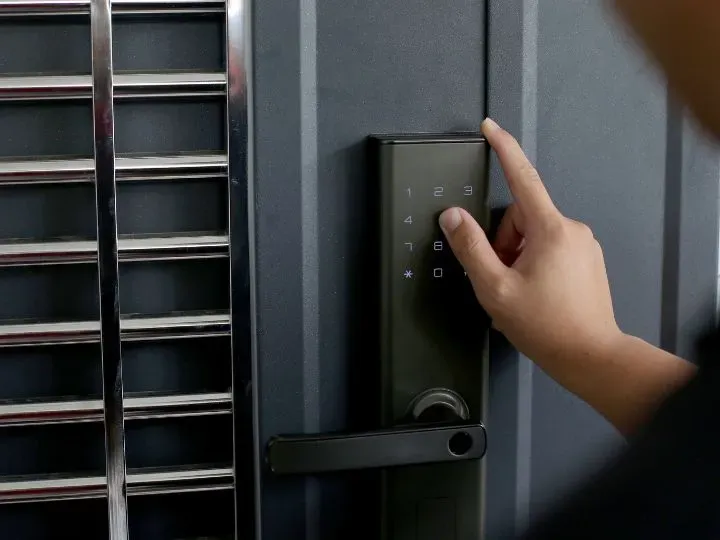
Smart locks offer convenient features such as keyless entry, remote access, and integration with home security systems. However, connecting a door lock to a digital network can introduce security risks that homeowners may not encounter with traditional locks.
Understanding the potential vulnerabilities of smart locks can help you make informed decisions about installation, maintenance, and everyday use. From wireless network security to physical lock mechanisms, knowing what to watch for can help you protect your home while taking advantage of smart lock technology.
Common Vulnerabilities
Network Security Risks
Smart locks rely on wireless connectivity, typically using Wi-Fi, Bluetooth, or Z-Wave protocols. Each connection method presents potential entry points for cyber attacks. Wi-Fi-connected locks are susceptible to network breaches, while Bluetooth-enabled devices can be vulnerable to signal interception or replay attacks.
Software Vulnerabilities
Like any smart device, these locks run on software that can contain bugs or security flaws. Regular firmware updates are essential, but as noted by locksmiths at Driscoll’s Lock & Key, many homeowners fail to maintain these updates, leaving their locks vulnerable to known exploits.
Physical Security Concerns
While much attention focuses on digital vulnerabilities, smart locks must still maintain robust physical security. Some models sacrifice traditional mechanical security features in favor of smart capabilities, potentially making them more susceptible to physical attacks than conventional locks.
Mitigation Strategies
Proper Installation and Configuration
Professional installation can significantly reduce vulnerability risks. This includes proper door alignment, secure mounting, and correct initial setup of all security features. The physical installation is just as crucial as the digital setup.
Network Security Best Practices
To protect smart locks, homeowners should:
- Use strong, unique passwords for lock accounts and Wi-Fi networks
- Enable two-factor authentication when available
- Regularly update router firmware and security settings
- Create separate networks for smart home devices
Regular Maintenance
Maintaining both physical and digital aspects of smart locks is essential. This includes:
- Installing firmware updates promptly
- Checking physical components for wear
- Monitoring access logs for suspicious activity
- Regularly changing access codes
- Testing backup entry methods
Future Considerations
As smart lock technology evolves, manufacturers are implementing enhanced security features like biometric authentication and end-to-end encryption. However, these advances often introduce new complexities and potential vulnerabilities that users must understand and manage.
Conclusion
Smart locks offer convenient features that traditional locks cannot match, but they require a more comprehensive approach to security. Understanding and addressing both digital and physical vulnerabilities is essential for maintaining effective home security. Regular maintenance, proper installation, and staying informed about security best practices can help mitigate many common risks associated with smart locks.
For homeowners considering smart lock installation, consulting with qualified security professionals can provide valuable insights into choosing and maintaining the right system for their specific needs. As the technology continues to evolve, staying informed about both capabilities and vulnerabilities will remain crucial for maintaining effective home security.
Frequently Asked Questions
Are smart locks vulnerable to hacking?
Yes, some smart locks may be vulnerable to cyberattacks due to weak passwords, outdated software, or insecure wireless connections. Choosing a reputable model, using strong passwords, and installing updates can help reduce these risks.
How can I make my smart lock more secure?
Use a strong, unique password for your smart lock account, enable two-factor authentication when available, keep the lock’s firmware updated, and secure your home Wi-Fi network. Regularly review access permissions and remove users who no longer need entry.
Can a smart lock be broken into physically?
Yes. Smart locks still rely on physical components, including the lock body, mounting hardware, and door itself. Their resistance to forced entry varies by model, so choose a lock with suitable physical security features and ensure it is installed correctly.
Do smart locks still work if the internet goes down?
It depends on the model. Some smart locks continue to work through a keypad, Bluetooth connection, or physical key even when Wi-Fi is unavailable. Remote access and app-based features may be interrupted, so check the manufacturer’s backup entry options before purchasing.
Should I hire a locksmith to install a smart lock?
Professional installation can help ensure the lock fits correctly, operates smoothly, and provides the intended level of physical security. A locksmith can also help you assess compatibility with your existing door and identify a suitable smart lock for your home’s security needs.